Blampow, a new webcomic app

Recently I got accepted into the beta test of BlamPow . It's a (VERY NEW) webcomic app and it seems to be coming along well. I'll leave my thoughts here since I am a webcomic artist, and this blog is a lot less clunky than just making 100 posts in a bluesky thread.
First, I think it's really great that there's more webcomic hosts out there. I've tried out Webcomic Studio as well, and I like what they have to offer. Right now it feels like Comic Fury is like Atlas holding up the entire world of webcomics by itself, so it would be nice if others came along to share the burden.
So what is Blampow?
Blampow is an app built on the AT Protocol, which is like some sort of network able to host different types of apps/websites. Bluesky is hosted on the AT Protocol, as well as pckt.blog, the app I'm using to write this blog entry. This means that you can actually share a login between all of these apps, which can be quite handy.
Here is what my profile looks like on Blampow. As you can see, it's exactly the same as my Bluesky profile, and I didn't have to do anything. It automatically imports all your profile info.

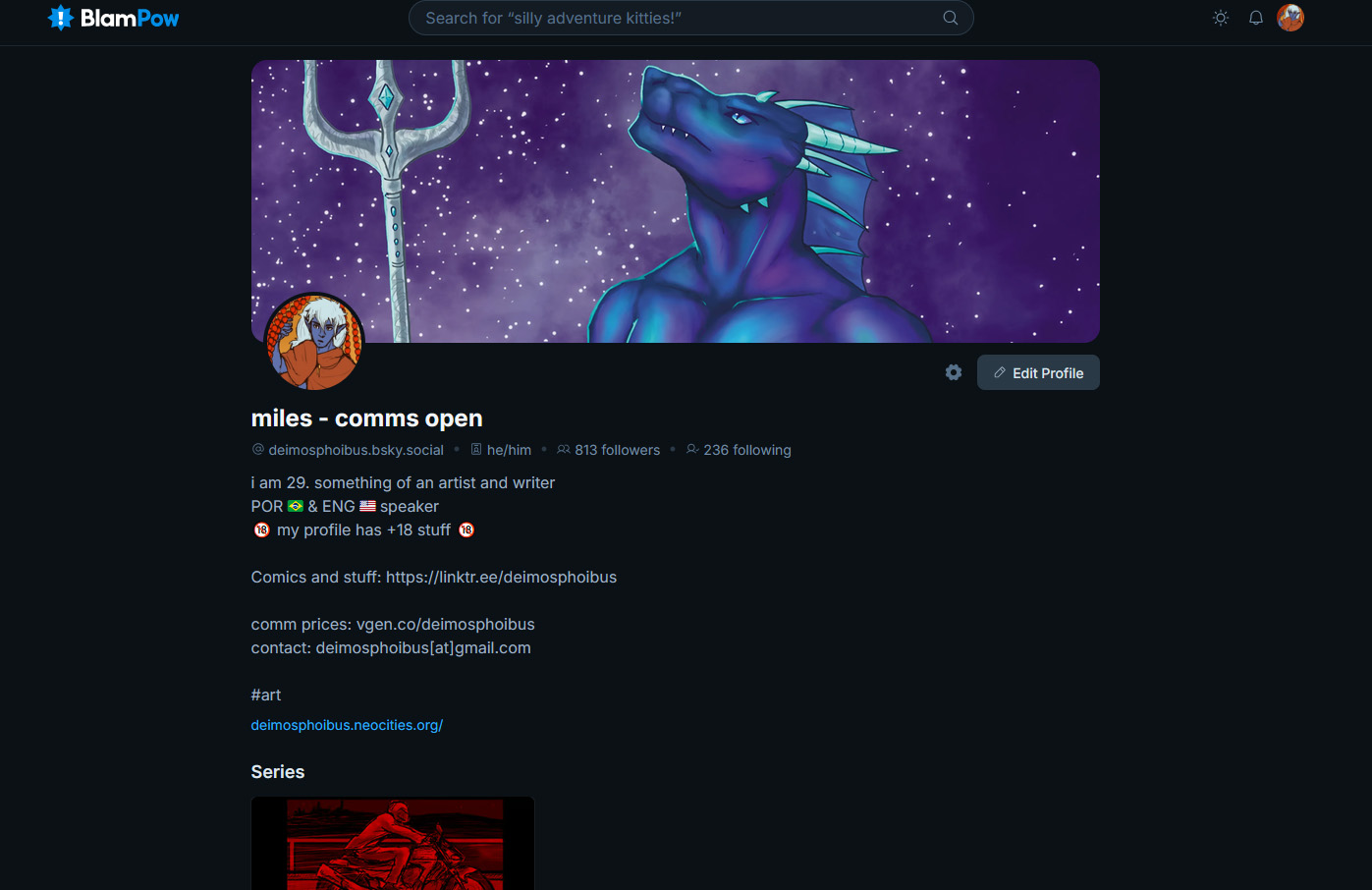
It also imports a list of the people I'm following on Bluesky who also post on Blampow.
Now without further ado, I'll leave my thoughts on certain aspects of the site.
The UI
I found the front page UI sort of clunky. Basically, Blampow separates "Series" and "Chapters" and displays them both on the front page. Each chapter needs to have a cover image, and that essentially acts as your comic's cover. I think this is because this was modeled after Tapastic and Webtoon, but I'm not sure since I've never used either of those services. (I could be wrong about the inspiration too, but it's just the vibes I get!)
I've uploaded Necrotic Resonance there, and here's how it's displayed on my profile:

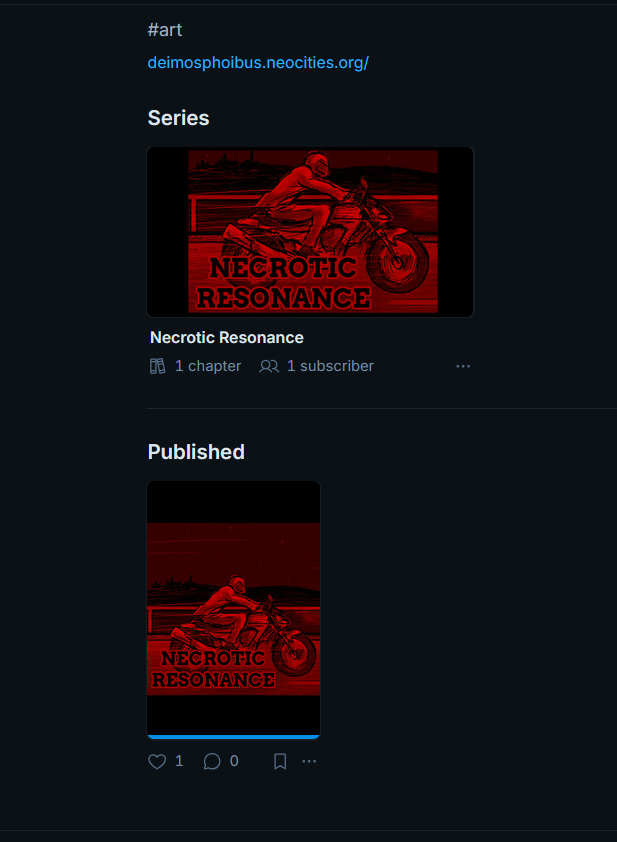
In this case, "Series" is the comic proper. If I click on that, it will bring me to the comic's profile. "Published" is each individual chapter. If I click on that, it will bring me to the first page of the chapter.
The problem is that these are both displayed on the front page simultaneously, which makes it kind of confusing. Which chapters belong to each series? Some people put the comic's title on the chapter's cover, but I think a lot of people (like me) were under the impression that the chapter's cover would not be visible on the front page.
This is made worse by the fact that the "new releases" tab does not show the comic's title under the covers.

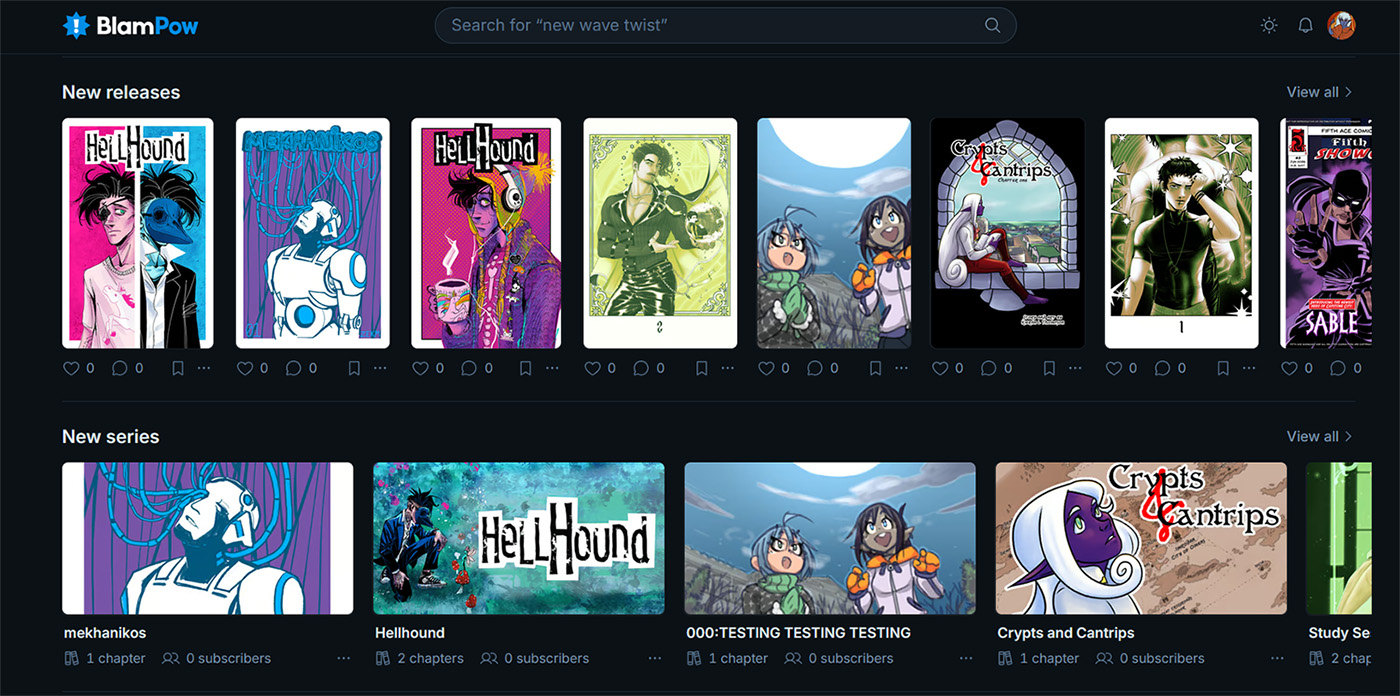
Keep in mind that these are literally the first comics ever uploaded to the site, which means that the developer likely did not predict this outcome. But I think it's important to point out!
It would be interesting if only the covers for Series showed up on the front page, because those have the comic's title underneath them as well as the number of chapters.
Anyway, onto the next point:
The comic's profile.
This is what a comic's profile looks like:

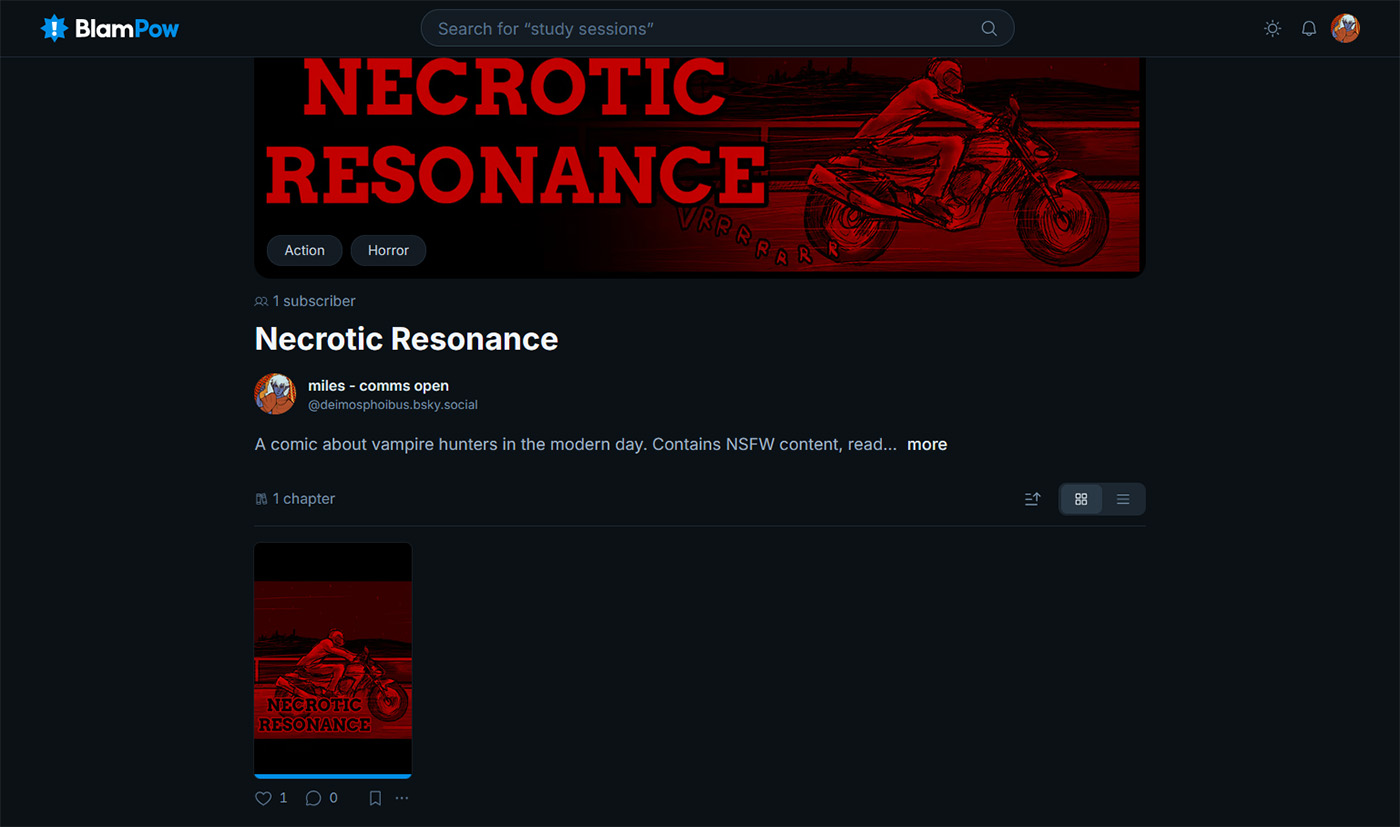
It honestly looks great, all the the details are there and the banner makes it very visually pleasing. I don't have any problems with it. Just kidding, I do.
It's a very small problem and hopefully very easy to fix: The comic's description.
When you first create a series, it will ask for a title (duh) and create a unique URL based on that title. (eg: https://blampow.app/necrotic-resonance. I have no idea if this link works since the app is still in closed beta, but that's what my comics URL looks like)
You'll also need to write a description for your comic, and that has a character limit. I actually couldn't fit the whole synopsis into the description box, which is why I had to truncate it. The problem is; if there's a character limit, then how come the description cuts off in the middle, as if there's not enough room for it?
To see the full description, you have to click on the little "more" link, which just brings up a tiny pop up box with the full description.
As as said, it's a very small issue, and hopefully easy to fix.
Uploading a comic
That's probably the most important step of trying out a webcomic host, uploading your comic there!
To upload a comic you will need to create a New Series. Blampow asks you to upload a banner, which will show up on the comic's profile, and a poster, which will show up when the comic appears on the front page. You can also set up to 3 Categories. You cannot use tags, so you rely on the predetermined list of categories.
I wish this could change in the future, tagging your comic is very important for folks who are looking to build an audience.
You'll also need to select the content warnings if your comic has any. Comics with mature themes will automatically be hidden from anyone who doesn't have adult content enabled. It's possible to enable it via your user preferences!
When creating a series you have to set up the reading order (left-to-right or right-to-left) and you have the option to mark it as a vertical scroll or a page by page comic. Unlike the other options, these cannot be altered after you finish setting up the series.

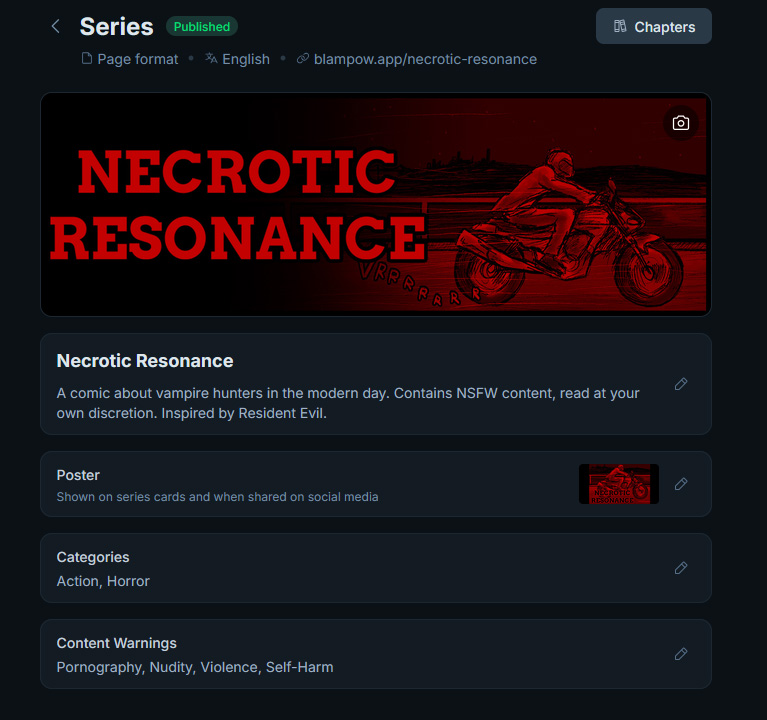
Once you are done setting up the series, you can go ahead and start uploading pages!
The page upload interface is a bit difficult to get to, but it's just a matter of getting used to it. First, you have to create a chapter. You cannot upload pages without creating a chapter because of how the system works. You will also be required to upload a cover for the chapter, so that it will show up on the front page and on the chapter list of your comic's profile.

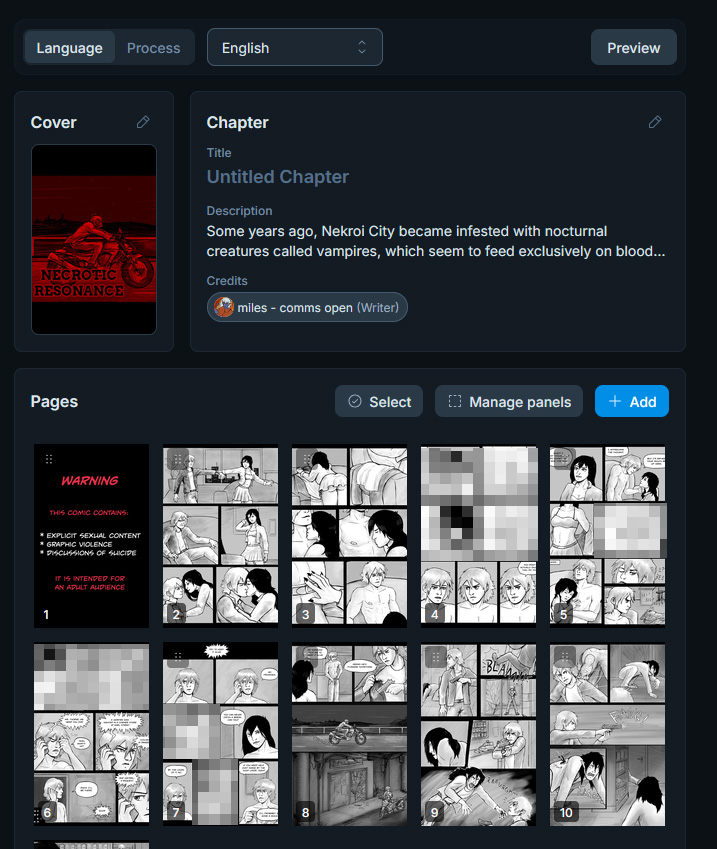
(The naughty bits were pixelated by me.)
Anyway, as you can see, on the chapter's description I'm finally able to input the comic's real summary. I don't know how I feel about this, honestly. Necrotic Resonance is a comic that's intended to have just one chapter, so it's perfectly fine to have the comic's summary on just this one chapter, but what about some of my longer comics like Unreality or Hard Training? I would still like to have more room to input the comic's summary separate from the chapter's description.
The chapter's title and description are option. You'll also need to credit everyone who worked on it. There's multiple categories like "writer" "artist" "inker" "colorist" etc, which I really appreciate! I did everything myself on this comic so I just added one credit. There's nothing stopping you from just crediting yourself for every role though.
You can also upload the same chapter in multiple languages, pretty handy if you have translated your comic. There's also a process tab up there. I have no idea what that is for, but hey maybe it's useful for those who do know what it is.
And the pages themselves. You can upload several pages at the same time, and you can also drag and drop them to alter the order that they're shown in.
However, there's no way to schedule pages, which is a bummer. I could've sworn I saw some sort of scheduling feature, but I can't find it anywhere. Either way, it would be very useful to have a way to schedule each page individually!
Now here's the interesting thing: you can edit the pages directly on the app itself. Take a look at this.

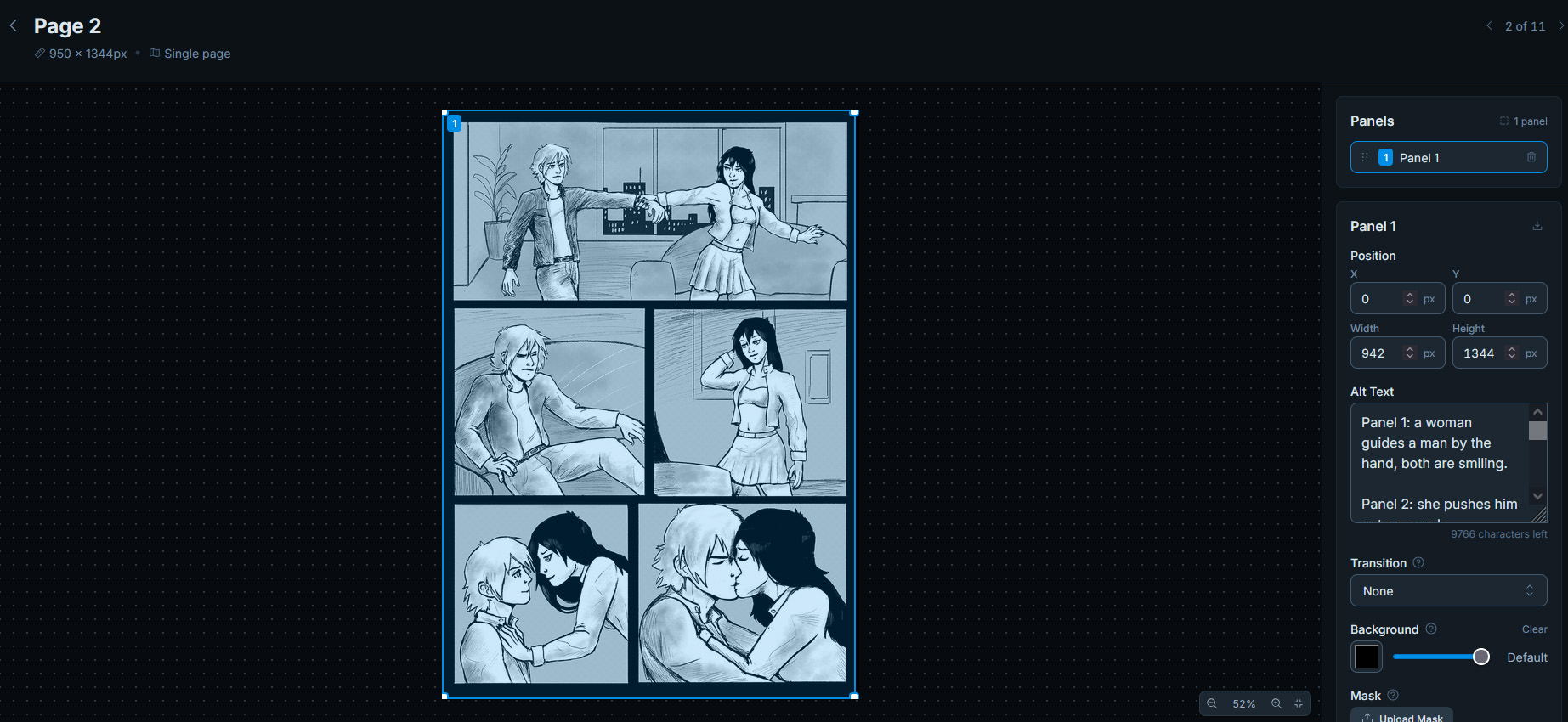
You can select each panel individually and set up certain features for it, like alt text.
As you can see, I just marked the entire page an a panel; I did this for two reasons. One, marking each panel separately allows people to read the comic panel-by-panel, as in, it will display each panel separately. Which in my opinion should be considered a felony, but that's just me.
It also makes the alt text a little clunky in the case someone chooses to read the full page. You'll see what I mean in a bit.
So yeah this might be an interesting feature to you! I will say, aside from editing the panels you can't really do much else with the pages individually (so no scheduling or tagging pages for example.) But I do appreciate the built in alt text field!
The Reading Experience
So we've talked about what it's like to upload comics, but what about read them?
The good things: Blampow automatically keeps track of your progress, which is amazing! If you leave the comic and come back, it will bring you back to the last page you were in. There's even a little blue progress bar which tells you how far into a chapter you are.
The page is adjusted to the screen, which means that it looks really zoomed out. Here's a comparison of what the comic looks like on Blampow (top image) versus on my Comic Fury site (bottom image)

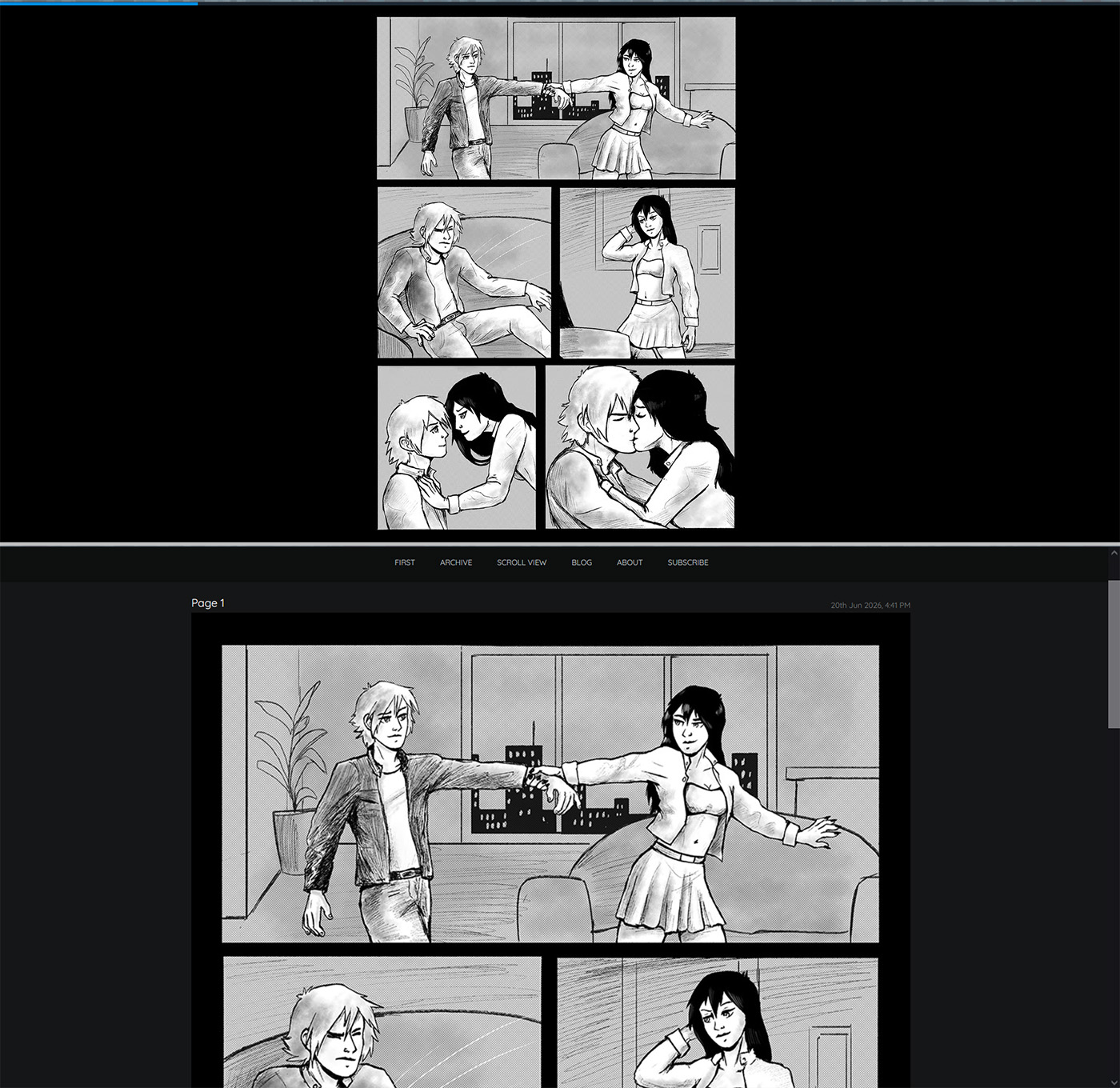
I feel like the "zoomed out" look makes it a bit harder for me to read if I'm being honest.
Now let's get one thing straight: I don't think Blampow should try to be more like Comic Fury. I think it's a good thing that they're both different platforms with different looks, and will inevitably cater to different demographics.
I'm aware that there's a lot of apps that display comics in a full screen reader like that as opposed to a webpage. However, one bit of feedback that I think it's worth considering: have a way for readers to zoom in on the page! That way, people will be able to appreciate all the details artists put into their comics.
Other than that I don't have many complaints. If you move your mouse to the edge of the screen a little UI will pop up with more info about the chapter. You'll have the option to display two pages at a time, display it panel by panel (like a maniac,) and to display the alt-text (or captions.) Here's what the page looks like with alt text:

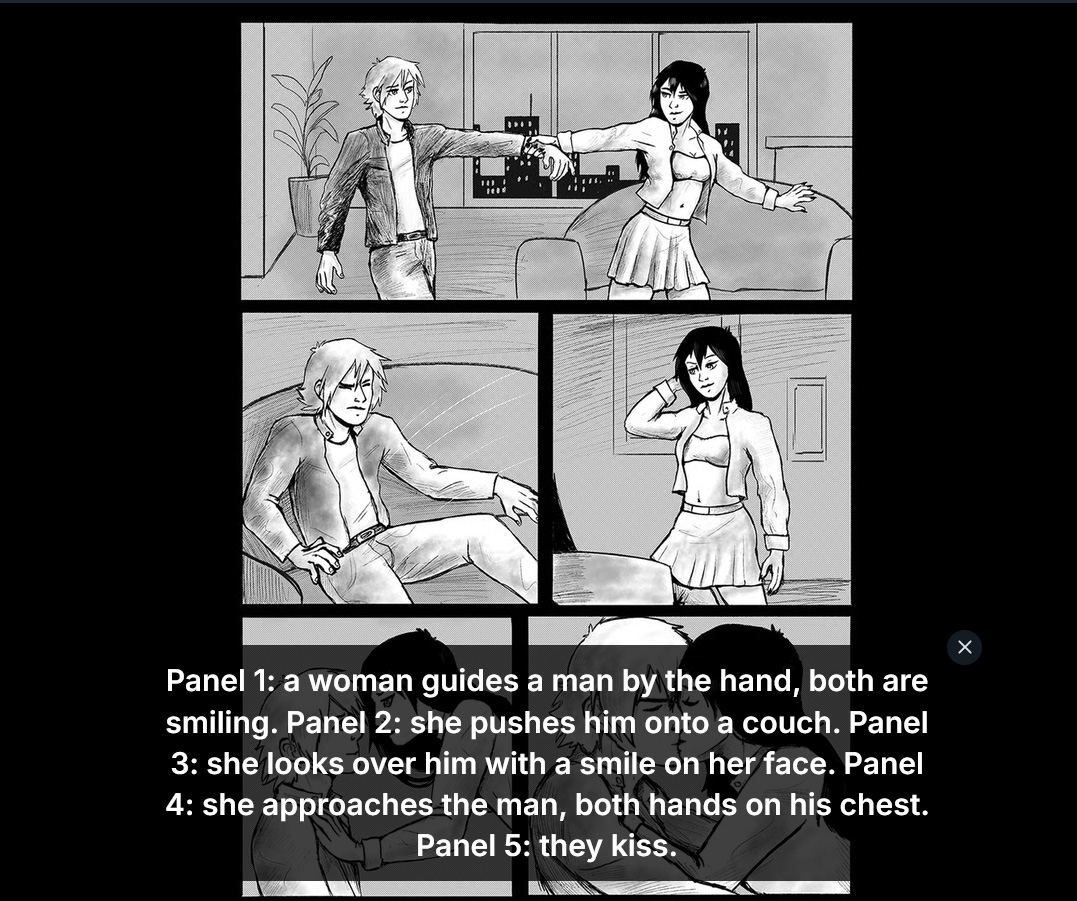
As you can see, there's no line breaks. I also needed to add the panel number to the alt text so things didn't get confusing, and this is how I normally write alt text for comics anyway.
You also have the option to view the archive page with all pages shown, and the chapter details.

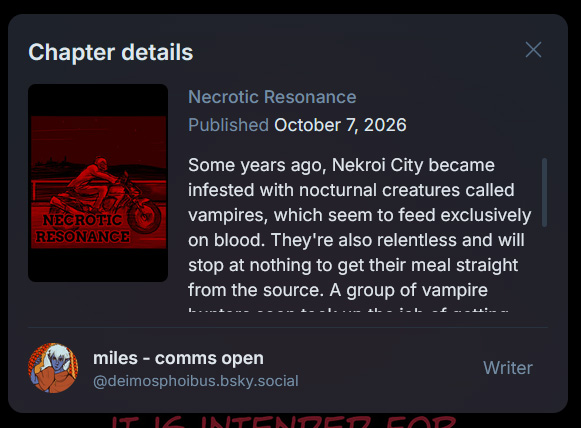
What about comments? You can comment on the chapter, but not on individual pages. I'm not sure how I feel about this, as I feel like this is another "left over" from Tapas, in which you're encourage to upload an entire Episode at once. I think Blampow is also operating under the assumption that each chapter will be uploaded all at once.
Most people tend to upload webcomics page by page, which is why being able to comment on each page can be so important! People like to discuss the pages as they come out. It's not something that will terribly impact the reading experience, but it is something to consider I think!
Conclusion
Well, if you've made it this far, thank you for reading. Overall, I think Blampow is a great app, and I like what it has to offer! At first I was a bit worried about discoverability, since Bluesky is a site that relies on an algorithm to get people's stuff out there.
But I was pleasantly surprised to see that Blampow includes a "recently updated" section on it's front page, and it's complete with a search function and categories, which are a tremendous help for those looking to build an audience.
I believe this is also a project maintained by just one person, which is very impressive. I think the developer is doing great work, and please don't be discouraged by all the whining I did on this blog post haha.
While I do believe that there's lots of room for improvement, I also think it's important for the app to keep a sense of identity. Like I said before, the more webcomic sharing apps/websites we have, the better! I can definitely see Blampow being the place where I mirror some of my webcomics, and I hope the platform is able to grow.